Tech Stack & CI/CD
The tech stack for atmo.earth mvp will be extremely simple, yet powerful. We'll rely in "edge" platforms and open source software to build a MVP that can be easily deployed and maintained.
The tech stack will be composed of:
- Docusaurus for the documentation site
- Remix for the mvp dashboard
- DaisyUI for the dashboard UI framework (TODO: Align on this)
- PostgreSQL for the database
- Supabase for the database management
- Supabase-auth for the authentication
The tech stack will be deployed on:
- Cloudflare Pages for the documentation site and the dashboard
- We'll use cloudlfare workers under the hood to enable the SSR
- Supabase for the database management, REST API and authentication
CI/CD Workflow
The CI/CD deployment workflow will be as follows:
Dev Enviroment
The Dev enviroment will be deployed on every commit to the featureA branch in the pull-request number 1. This enviroment will instantiate the next things:
- Docs - Which will create a subdomain for the docs site following the next pattern:
https://dev.docs-atmo-earth.pages.dev/ - Dashboard - Which will create a subdomain for the dashboard following the next pattern:
https://dev.app-atmo-earth.pages.dev/ - Database
- In the creation of the Pull request; a new Database will be instantiate within the same server as the production database. This database will be used for the PR review.
- In the next commits to the PR, the database will be updated with the new migrations.
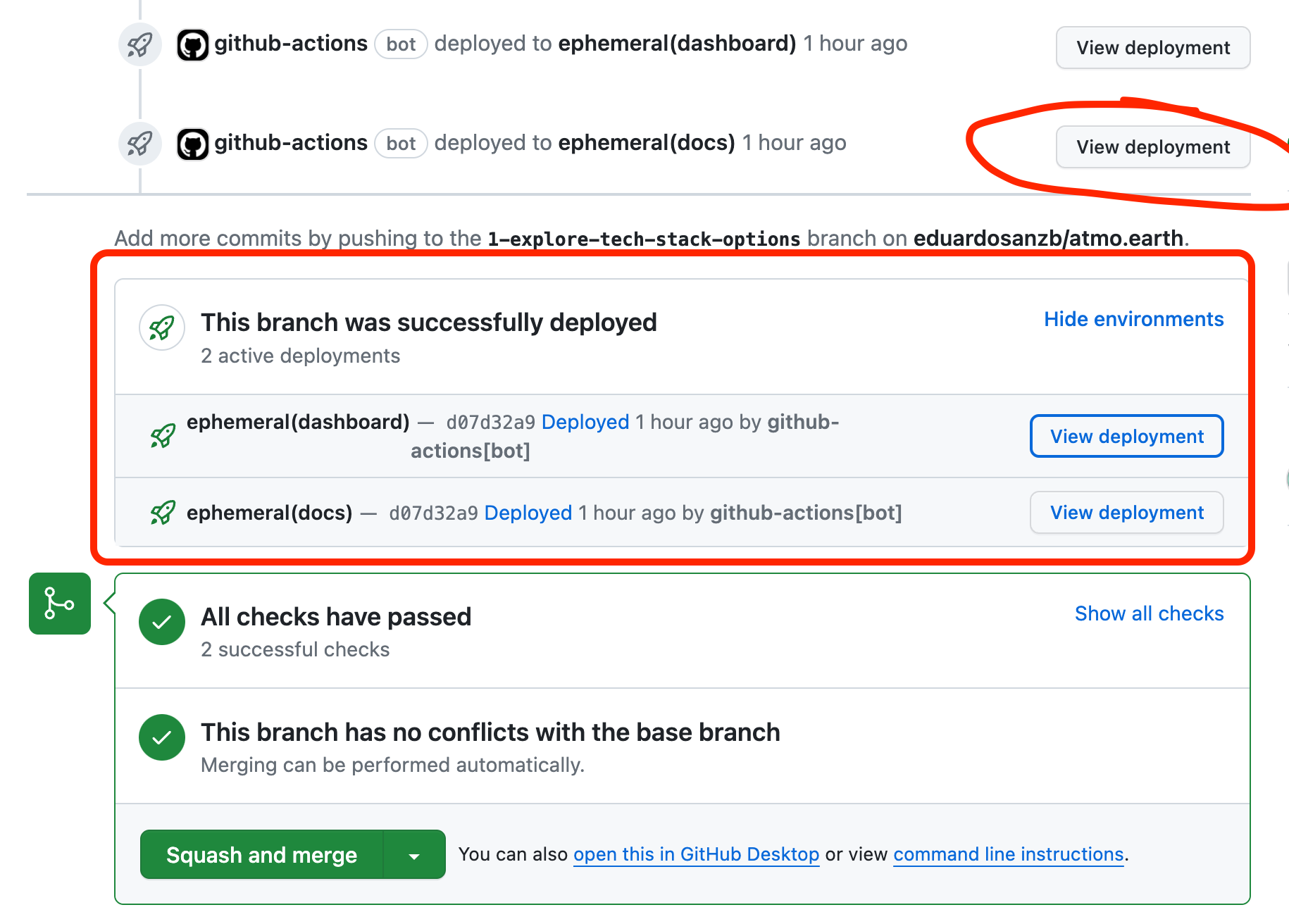
You can find quick access to the links in the PR using the Github Deployment status:
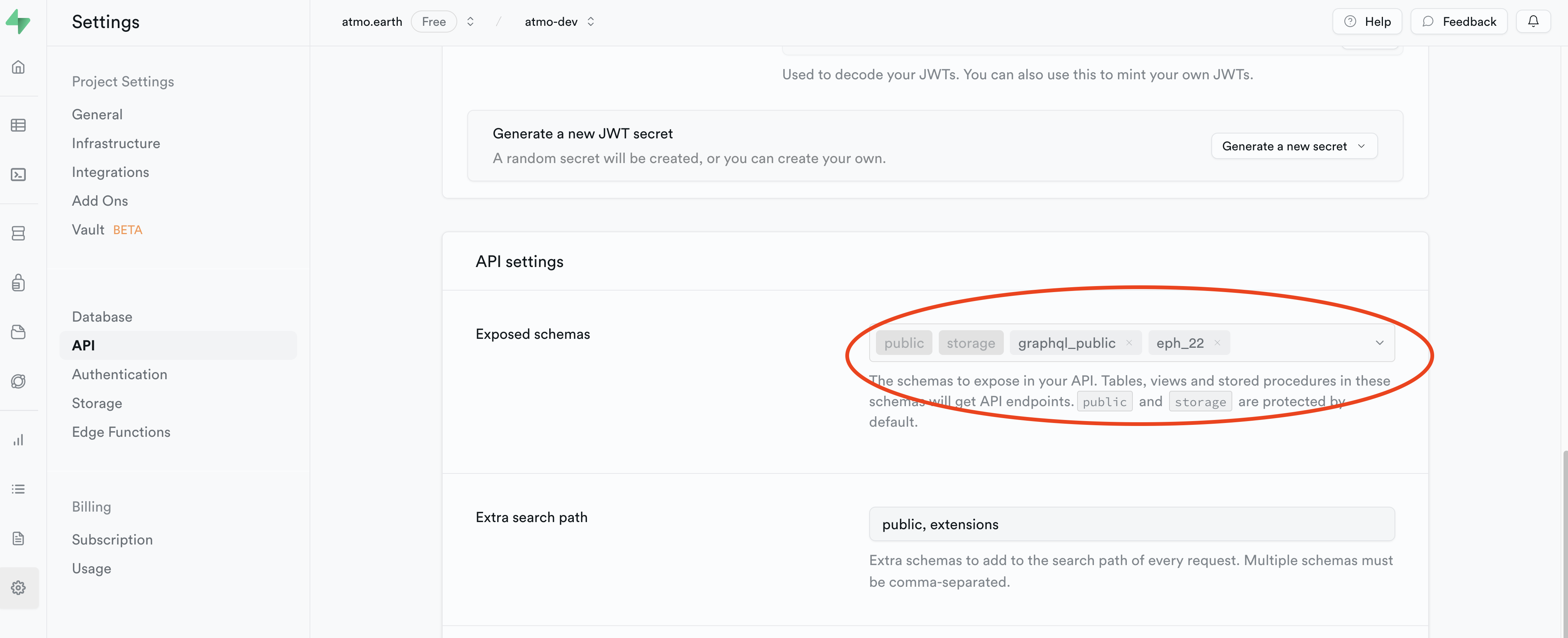
There's one manual step to get your schema exposed via the API: You have to add the schema to the supabase API configs
Production Enviroment
The Production release, will be done only on every new release The workflow will run the migrations and deploy the new version of the dashboard and docs site.
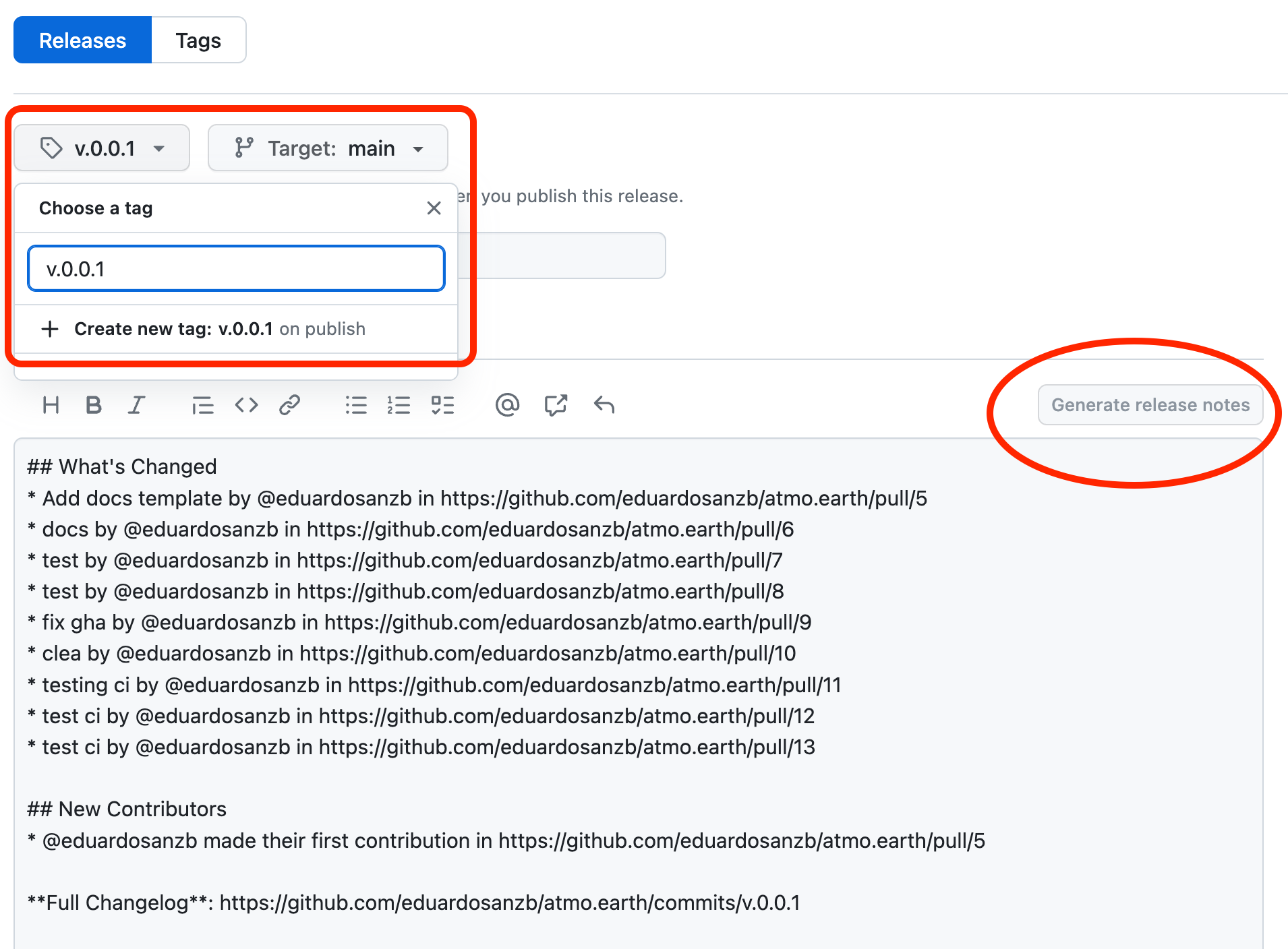
To create a new relase, you have to use the Github UI, this will do 2 things:
- Create a new git tag
- Create the release notes You can use the automatic release notes feature
Please use semver for the versioning
You can check the actions that are running here